
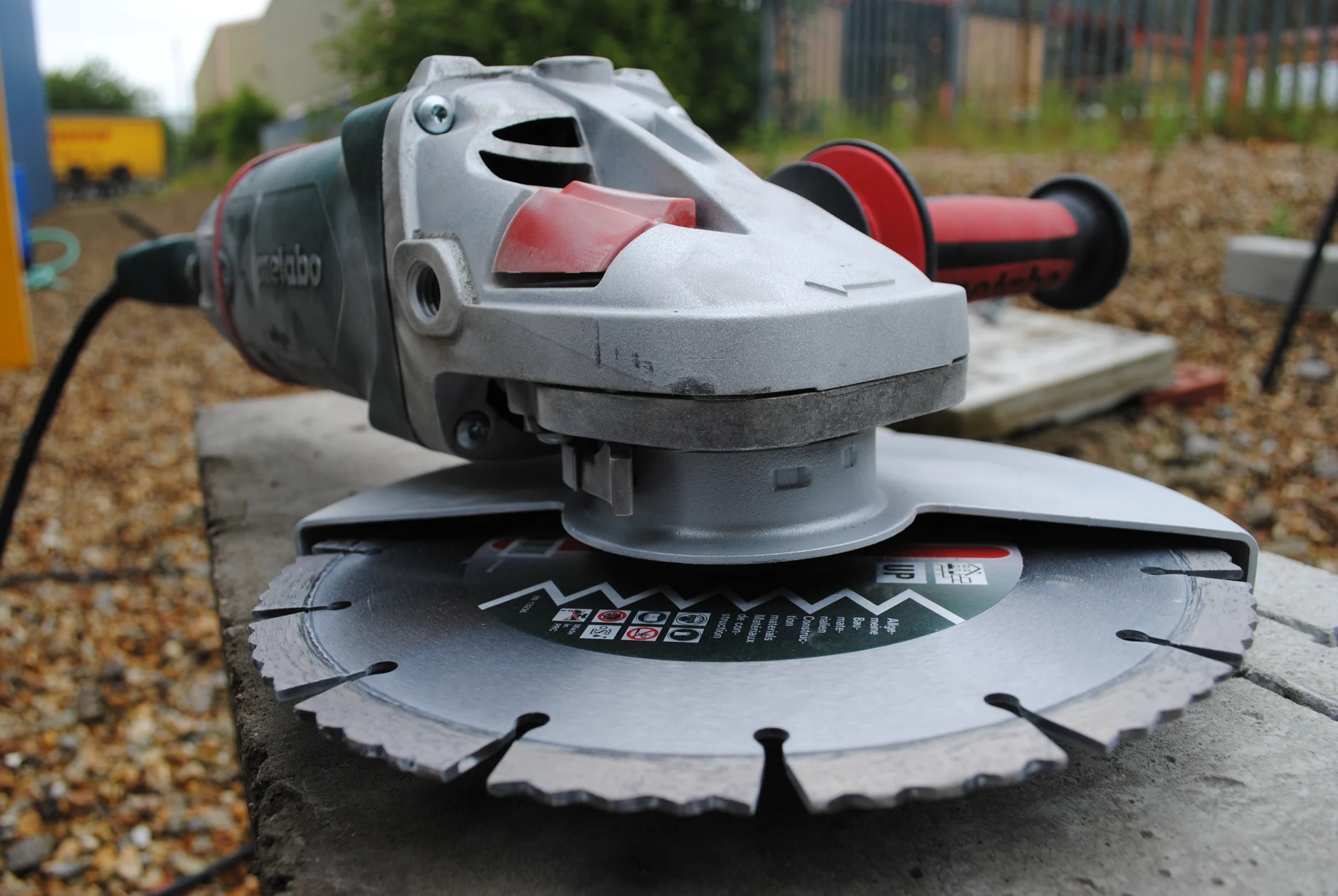

A stop work troubleshooting guide for mounting runout wear and saw condition
A diamond blade that wobbles, pulses, or leaves an unexpectedly wide cut should be stopped immediately. Wobble can come from a mounting problem, dirty or mismatched flanges, arbor runout, worn bearings, blade-core distortion, uneven wear, or a machine problem. Continuing to cut can damage the blade and saw and can create a serious safety hazard as well as possible need to have to re-do the work.
First response when a diamond blade wobbles
- Release the cut and stop the saw without forcing or twisting the blade.
- Wait for all rotation to stop, isolate the power source, and follow the equipment manual before approaching the blade.
- Do not restart the saw until the blade, mounting hardware, guard, arbor, and machine condition have been satisfactorily checked.
- Remove from service any blade with a cracked core, any missing or loose segments, a distorted arbor hole, signs of severe overheating such as glazing, or any visible warping.
Why a diamond blade wobbles
Scroll sideways to see all columns.
| Symptom | Likely checks | Corrective direction |
|---|---|---|
| Wobble starts immediately after installation | Blade seating, flange cleanliness, bushing, rotation arrow, arbor size, tightening procedure | Remount only after verifying every interface and operating manual. |
| Wobble remains with another sound blade | Arbor runout, bearings, shaft, belts, flange damage, machine alignment | Remove the saw from service for qualified inspection |
| Blade cuts straight cold but wanders as it heats | Side pressure, material pinch, wrong specification, poor cooling, overheated or dished core | Stop; correct the cutting condition and inspect the core |
| Segments wear unevenly from side to side | Water distribution, machine alignment, bearings, shaft, feed direction | Correct equipment or coolant delivery before using another blade |
| Arbor hole becomes elongated or out of round | Loose mounting, wrong arbor or bushing, damaged flanges | Retire the blade and repair the mounting system |
Check the blade mounting first
Clean and inspect the flanges
The blade must sit flat against a clean, undamaged flange face. Slurry, grit, burrs, rust, or a nick can hold one side of the blade away from the flange and create apparent runout. Clean only by the method permitted in the saw manual, and replace damaged mounting hardware.
Confirm the arbor size and bushing
The blade arbor hole must match the saw. A reducing bushing must be approved for the blade and machine, seat correctly, and remain undamaged. An improvised or loose fit can allow movement and may deform the arbor hole. Never use a blade whose arbor configuration is not explicitly compatible with the saw.
Follow the tightening procedure
Use the correct flange set, hardware, thread direction, and torque procedure from the saw manual. Over-tightening is not a substitute for correct fit, and under-tightening can allow the blade to slip. Do not add washers or spacers that are not part of the approved mounting system.
Separate a blade problem from a saw problem
A visibly warped or damaged blade should be removed from service. If a known sound, compatible blade also shows runout on the same saw, the machine needs attention. Manufacturer troubleshooting guides identify worn bearings, a worn or misaligned shaft, damaged flanges, and belt or alignment problems as possible causes of uneven wear and out-of-round cutting.
Runout measurement and bearing or shaft inspection should be performed according to the saw manufacturer’s service procedure, typically by a qualified technician. Do not defeat the guard, run exposed rotating components, or improvise a spin test.
Operating conditions that can look like wobble
Side pressure and steering
A diamond blade is intended to cut in its plane. Twisting the saw, steering the blade back into a line, or forcing a change in direction can deflect the core. If the cut is off line, stop and reset rather than levering the blade sideways.
The material is pinching the blade
Poor support or an incorrect cutting sequence can close the kerf on the blade. Pinching can cause drag, heat, deflection, and kickback. Support the work and sequence cuts according to the equipment manual and the structural or demolition plan.
Uneven cooling or debris removal
On wet-cutting equipment, water should reach both sides of the blade as designed. Uneven distribution can contribute to unequal segment wear and heat. On dry-cutting systems, follow the duty cycle and follow cooling instructions. A blade approved only for wet use must not be run dry.
The blade specification is wrong for the material
A mismatched bond(metal used to hold the diamonds and release the diamonds in a segment) can cut slowly, overheat, or wear irregularly. That does not excuse visible wobble, but it can create the heat and force that reveal an underlying mounting or machine problem. Match the blade to the material, saw type, diameter, arbor, speed, and wet or dry method.
Can a wobbling diamond blade be repaired
Do not attempt to straighten a blade core, reshape an arbor hole, reattach a segment, or otherwise repair the blade in the field. Some professional blades may be eligible for inspection or factory service, but only the manufacturer or an authorized specialist should make that determination. When the cause is dirty hardware or an incorrect mounting sequence, the setup may be corrected; when the blade itself is damaged or distorted, retire it.
How to prevent wobble on the next cut
- Verify the blade diameter, arbor, speed rating, direction, application, and wet or dry rating before mounting.
- Inspect and clean the arbor and flange faces at every blade change.
- Replace worn bearings, damaged flanges, shafts, belts, and guards according to the saw maintenance schedule.
- Let the blade cut in a straight line without side loading.
- Support the material so the kerf does not close on the blade.
- Maintain the specified water distribution or dry-cutting duty cycle.
- Stop at the first unusual vibration, sound, cut width, or wear pattern.
Frequently asked questions
Is a small amount of blade wobble normal
Do not judge acceptable runout by eye or feel. The permissible value depends on the blade and saw. If vibration, pulsing, wandering, or excess kerf width is noticeable, stop and inspect the system against the manufacturer’s limits.
Can a dirty flange really make a blade wobble
Yes. Debris or damage on a flange face can prevent the blade from seating flat. Cleaning and inspection are essential, but a recurring problem can indicate damaged hardware or arbor runout.
Why does a new blade wobble
A new blade can expose an existing machine problem, or it may be mounted incorrectly or be incompatible with the arbor and flange system. It may also be damaged or a factory defect. Stop and check the entire mounting system rather than assuming a new blade means it is safe.
Match the blade and saw as one system
When asking Diamond Tool Exchange, DTX, for help, provide the saw make and model, blade diameter, arbor configuration, maximum spindle speed, wet or dry method, material you are cutting, symptom timing, wear pattern, and photos of the blade and flanges. Those details help distinguish a specification problem from a mounting or equipment problem.